Modules / Tutoring
Run a tutoring centre,
without spreadsheets.
Students, tutors, rooms, plans and pay — one platform to run the whole centre, with a dedicated login for every tutor and every parent.
- ✓ 7 sections
- ✓ Group sessions
- ✓ Ready to use
Who it’s for
Three logins, three views.
Each role sees only what it needs — and nothing else.
Centre directors
See room occupancy, schedule conflicts and tutor pay in one place. Decisions in seconds, no spreadsheets.
Tutors
Tutors sign in with their own login and see only their sessions, schedule and students. They edit their own availability anytime.
Parents
Parents get a login of their own and follow the calendar, plan and progress of their child — never seeing other families’ data.
Included in the module
Seven sections, one module.
Students
Student profile: parent contact, school, year, subjects, active plan and full session history.
Tutors
Profile, calendar colour, subjects taught, weekly availability windows, hourly pay rate.
Sessions
One-off or recurring bookings, conflict detection, group sessions, edit a whole series at once.
Rooms
Room catalog with capacity. Per-room calendar plus a horizontal day timeline of every room.
Plans
Plan catalog: hour packs, sessions per week, client price and tutor pay rate per session.
Progress
Notes, comments and grades per student and subject. All in a searchable dossier.
Subjects
Per-tenant catalog. Subject colours, statuses and progress entry types are all configurable.
In action
How a centre uses it day to day.
Workflow 01
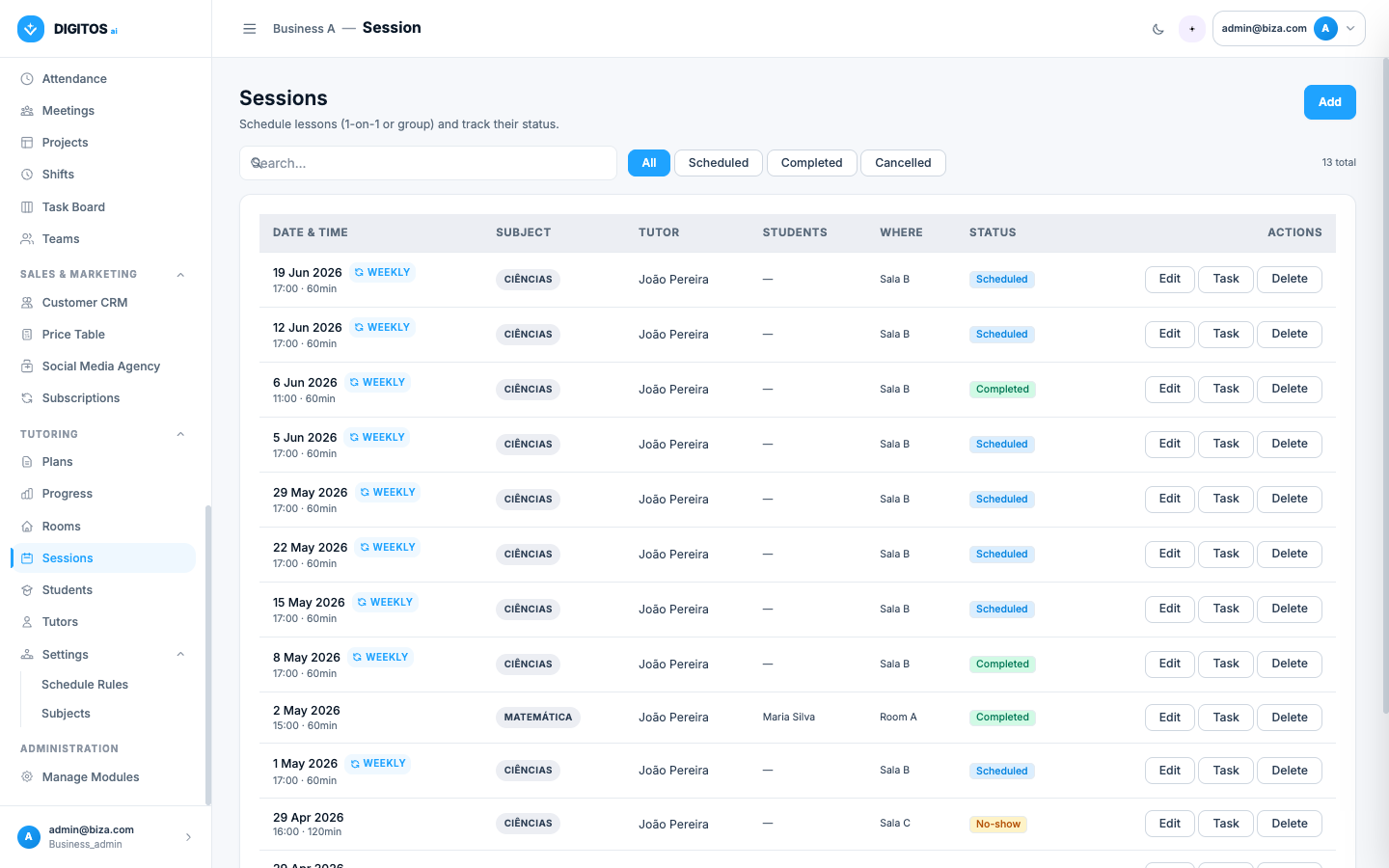
Book a recurring session in 30 seconds.
Pick a student, a tutor, a room and a weekday. The system materialises the weekly occurrences through to the end date, validates the centre’s opening hours and rejects the booking if the tutor or room is already taken.
- Weekly recurrence with end date
- Tutor and room conflict detection
- Bulk-edit the whole series at once
Workflow 02
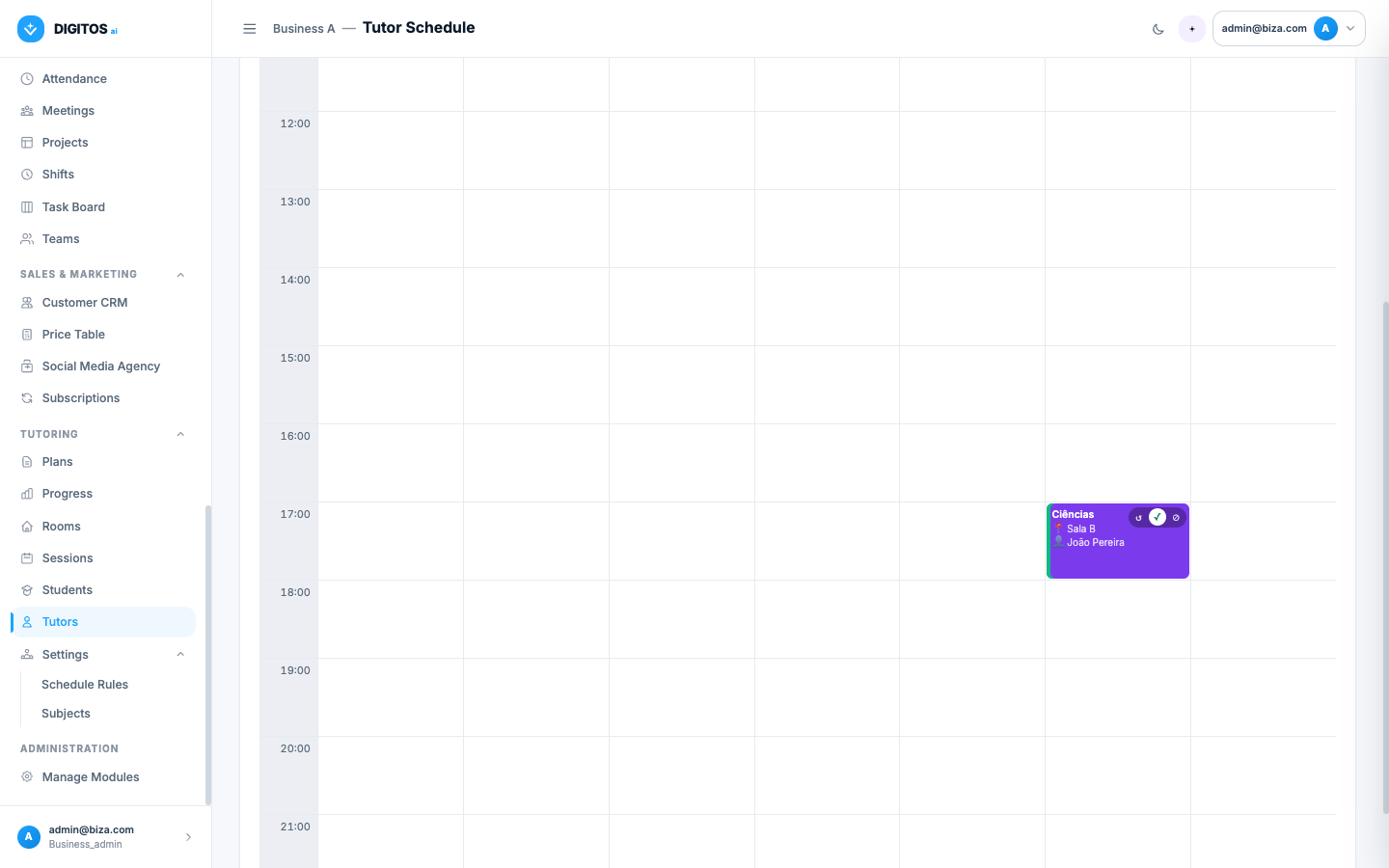
Read the centre’s occupancy at a glance.
Per-tutor, per-student and per-room calendars — plus a horizontal timeline of every room on the same day. Every block links straight to the underlying session.
- Weekly view by tutor, room or student
- Horizontal all-rooms timeline for the day
- One colour per tutor, easy to spot
Workflow 03
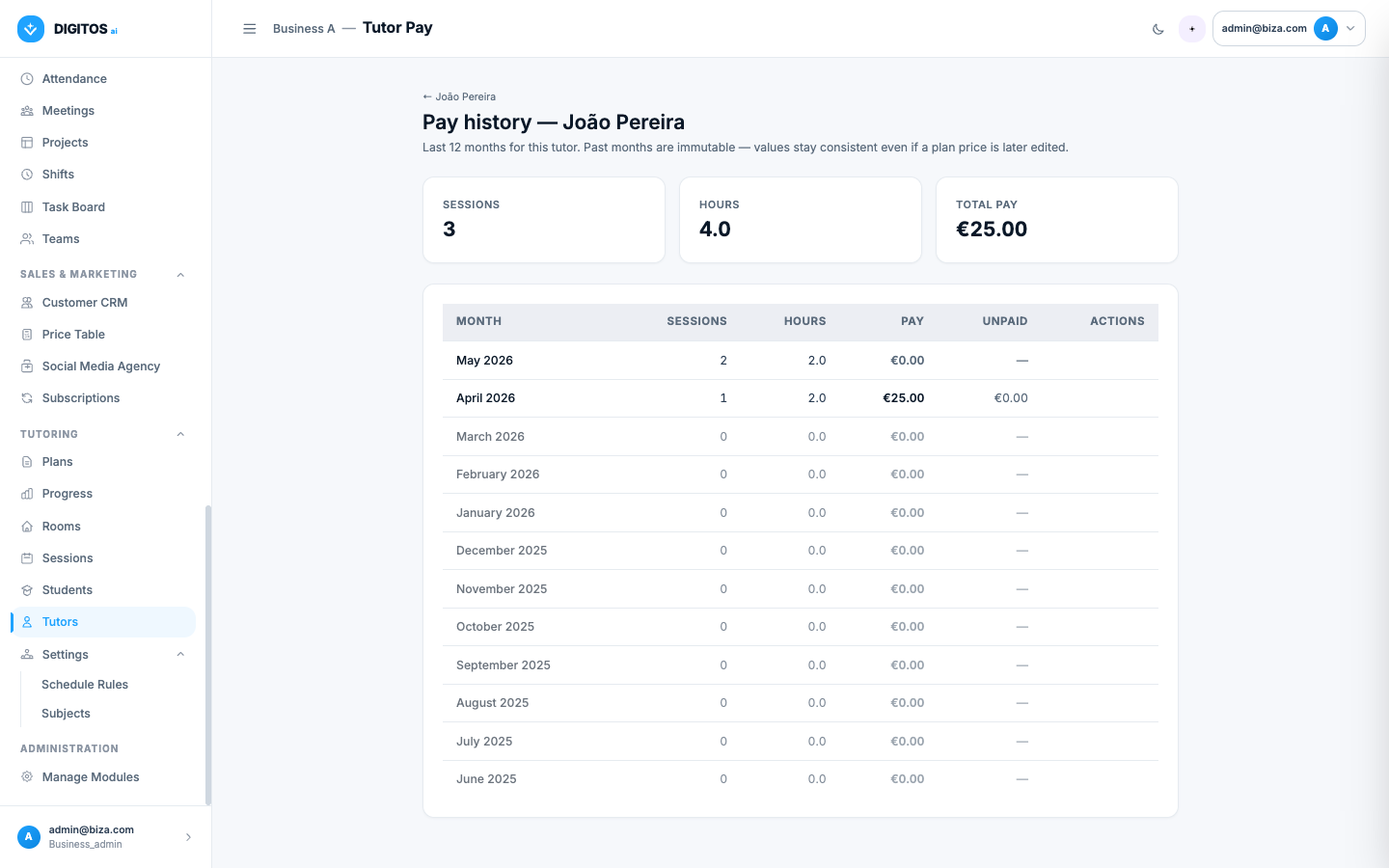
Close out tutor pay at month-end.
Each session snapshots the tutor pay rate at booking time. Editing the plan later never rewrites history — the 12-month-per-tutor report always reconciles.
- Per-session tutor pay locked in at booking
- Per-tutor monthly history (12 months)
- Client price and tutor pay tracked separately
Web + Mobile
At reception, in the classroom, at home.
The backoffice on the laptop for management. The responsive interface for the tutor in the room and the parent peeking at their child’s calendar.
- Real-time sync between web and mobile
- Works in any modern browser (phone, tablet, computer)
- Toast notifications confirm every action
- No installation — just a URL and a password
[ Desktop + phone preview ]
Frequently asked questions
About the Tutoring module.
Is the Tutoring module ready to use today?
Yes. It is in production with all 7 sections live — students, tutors, sessions, rooms, plans, progress and subjects.
Does it support group sessions?
Yes, from day one. A session can have one student or several — just pick them on the booking form. Each student sees the session on their own calendar and progress dossier.
Can I set the centre’s opening hours?
Yes. Set an opening and a closing hour and the system rejects bookings outside that window. The weekly grids only render the configured hours too.
Can tutors see their own sessions?
Yes. Tutors get their own login. They see only their schedule, edit their weekly availability and check their pay history. Other tutors’ data is invisible to them.
Do parents have access?
Optional, at the centre’s discretion. Two clicks on the student profile create a parent login. They see the calendar, active plan and progress — only for their own child.
How does conflict detection work?
On save, the system checks whether the tutor is already in an overlapping session and whether the room is already booked. Online sessions skip the room check. Clear message: "João Pereira is already booked 14:00–15:00".
Can I edit a recurring series?
Yes. Edit a single occurrence (only that one changes), or edit the rule itself — the system regenerates future occurrences from the new rule. Past sessions stay intact as historical record.
Does the calendar combine with the rest of the platform?
Yes. Sessions surface automatically on the platform’s central calendar — alongside tasks, shifts, time off and every other active module.
Ready to get the centre out of Excel?
A 30-minute demo. We’ll show the Tutoring module with data that looks like yours.