Modules / Finance
The day-to-day cash book,
simplified.
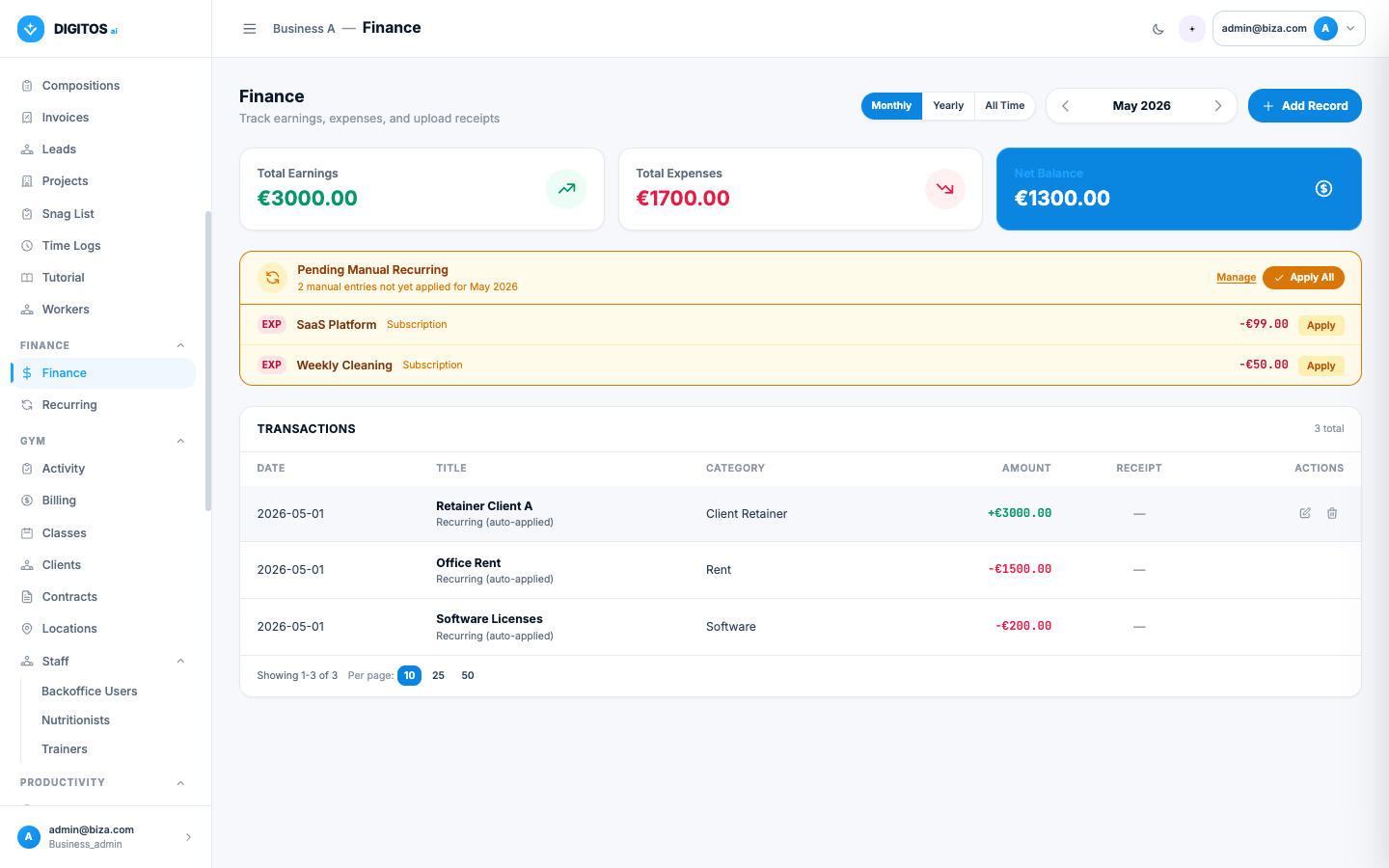
Earnings, expenses, receipts and recurring entries — a monthly and annual view with the balance updating in real time.
- ✓ Monthly · yearly · all-time
- ✓ Recurring auto-applied
- ✓ Receipts attached
Who it’s for
For people who need to see the health of the business.
Not an accounting ERP — it’s the cash book that should always have existed.
Owners
Sees the month’s balance the moment they open the app. Knows whether this month is comfortable or tight, before the bank statement.
Managers
Tracks earnings and expenses by category. Hands the accountant a clean monthly export instead of stitching emails.
Accountants
Receives a monthly file with everything categorised and receipts attached. No more chasing documents on WhatsApp.
Included in the module
Two sections, simple and powerful.
Transactions
Earnings and expenses with date, title, category, amount and an attachable receipt. Monthly/yearly/all-time view.
Recurring
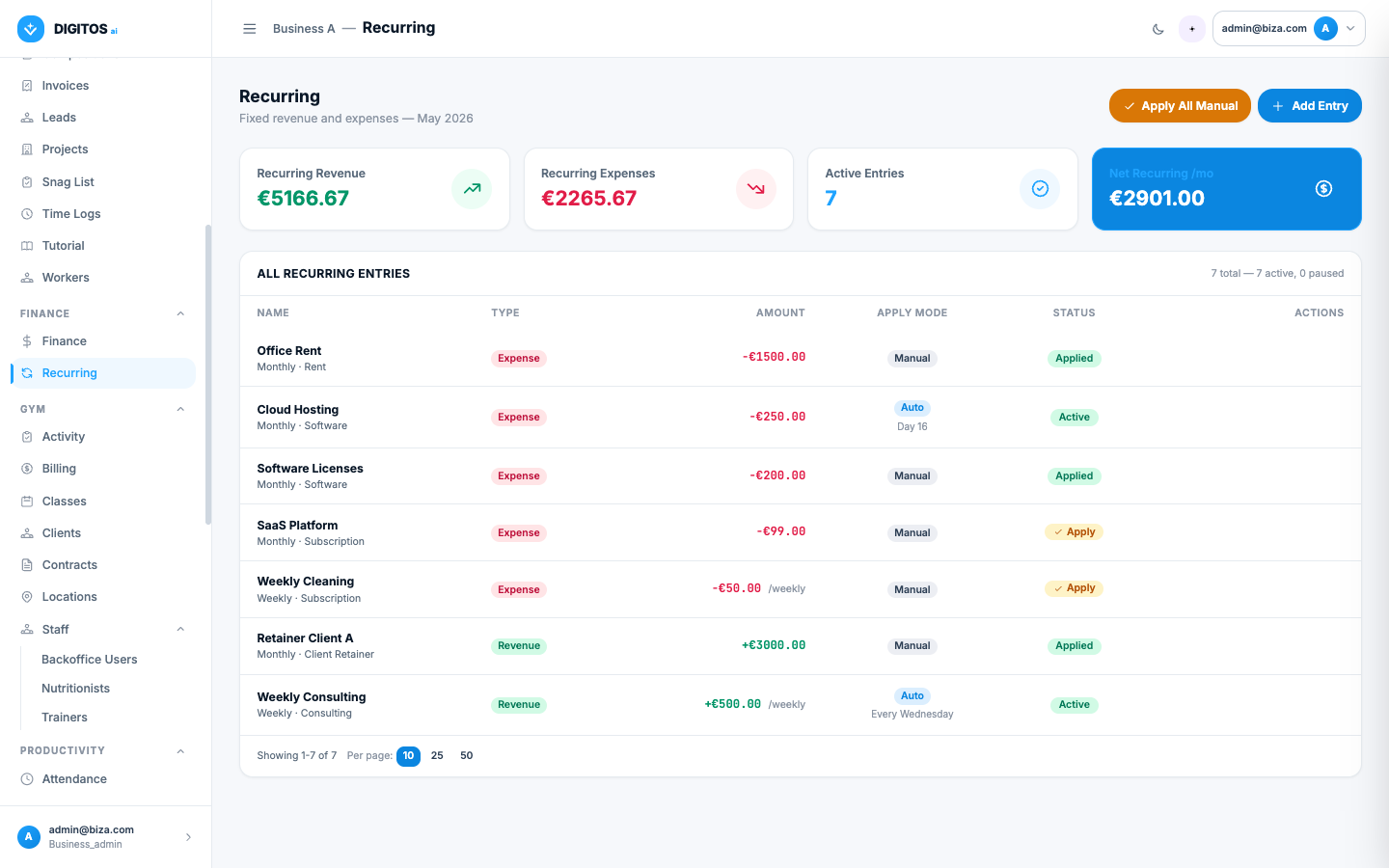
Automatic entries for rent, salaries, subscriptions and client retainers. Apply monthly with one click or pre-approve.
In action
How a team uses it at month-end.
Workflow 01
See the month’s balance at a glance.
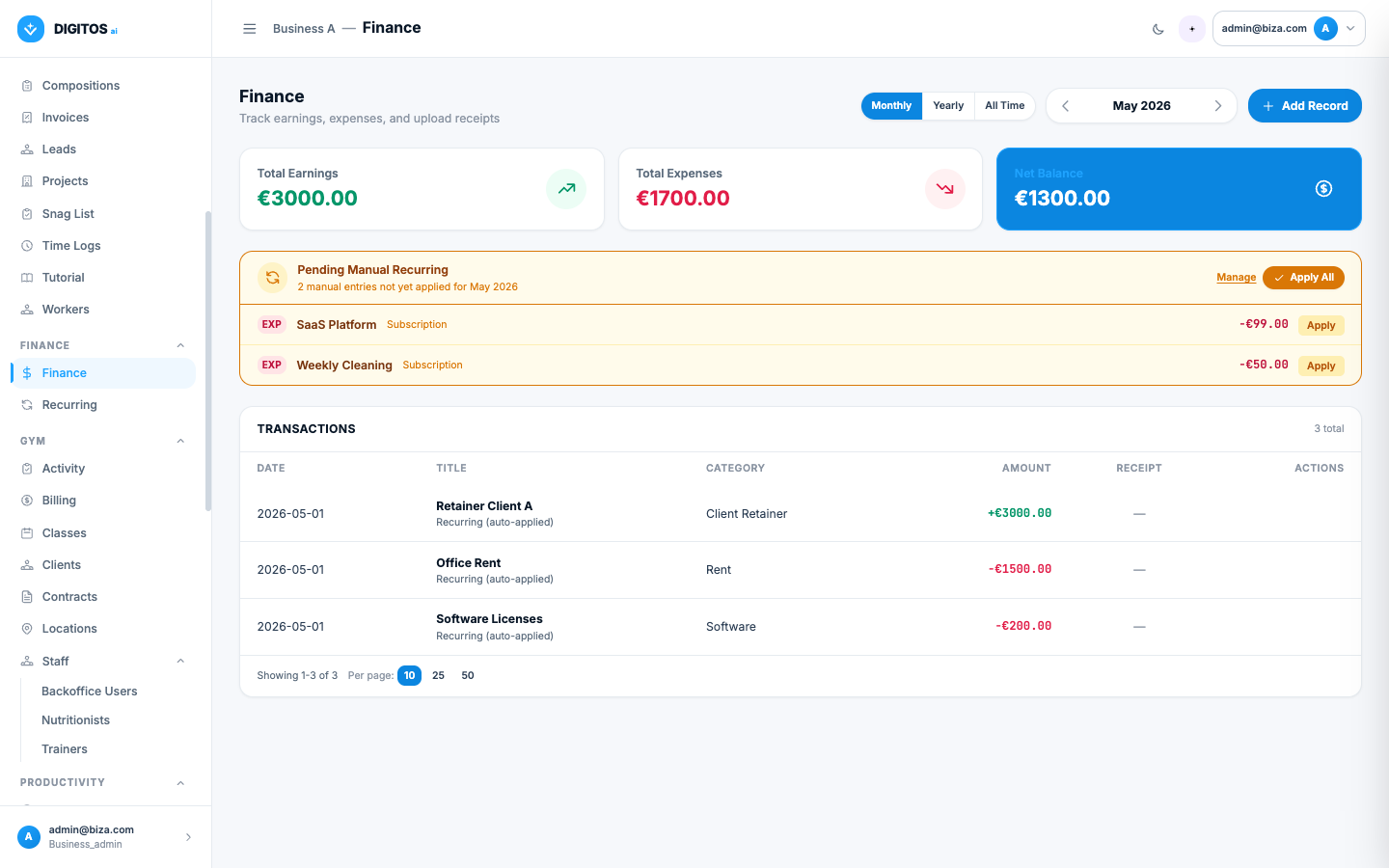
The dashboard shows three tiles — earnings, expenses and net balance — with filters between monthly, annual and all-time. The month’s balance is always one glance away.
- Tiles for earnings, expenses, balance
- Filters: monthly · yearly · all-time
- Full transaction list below the tiles
Workflow 02
Recurring entries applied in seconds.
Define rent, salaries, subscriptions and retainers once. Each month, the system reminds you what’s pending and one click drops everything into the month’s books.
- Amber banner at the top of the dashboard
- Apply per line or in bulk
- Each entry tagged "auto-applied"
Workflow 03
Receipts attached, no document chasing.
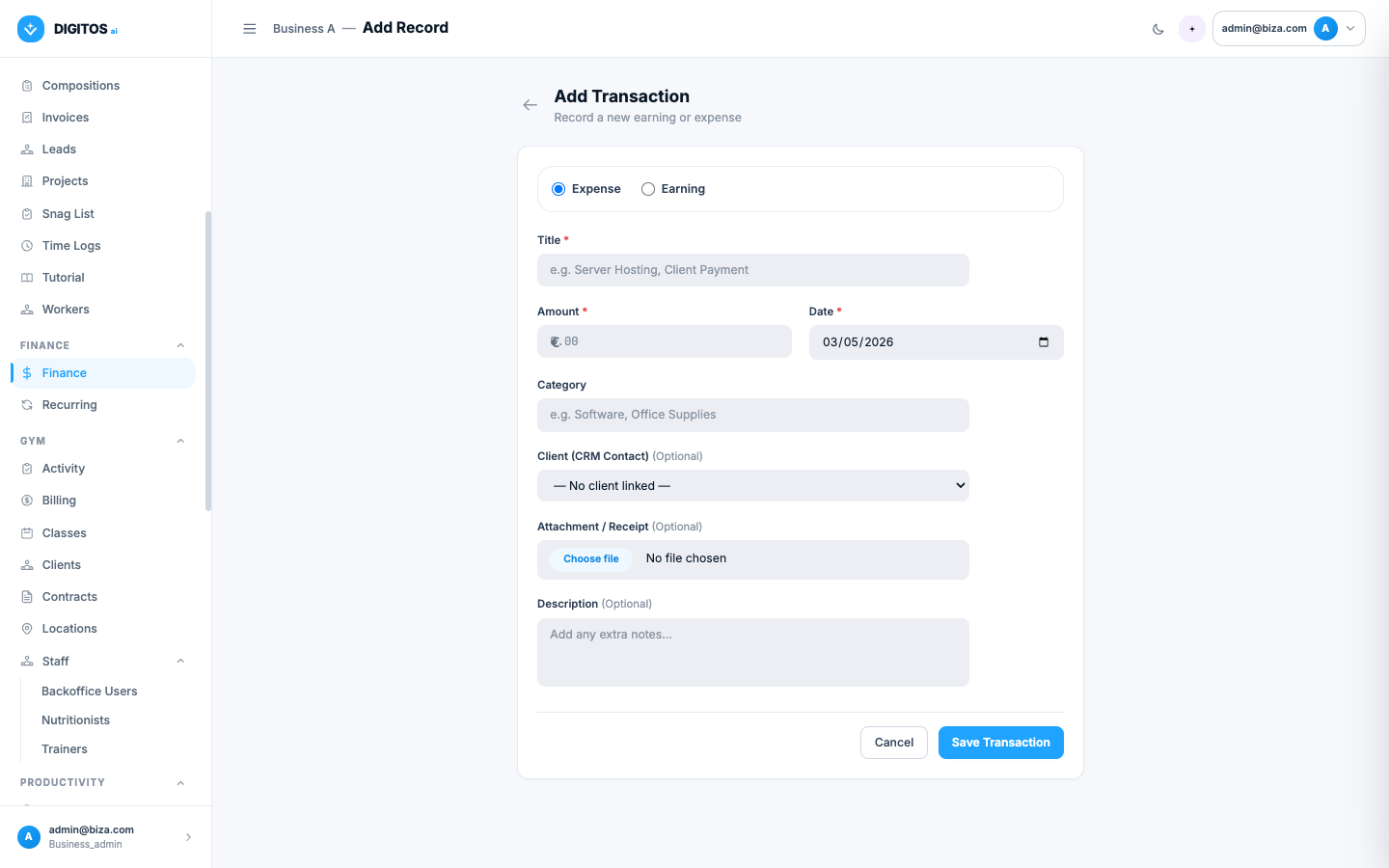
Attach the photo or PDF of the receipt the moment you log the entry. At month-end, your accountant gets a tidy package with each receipt already on the right line.
- Upload PDF or image
- Receipt appears in the matching column
- Search by title, category or date
Web + Mobile
On the laptop or the phone, no install.
Log the expense from the phone as you leave the supermarket, snap the receipt, and the month’s balance updates in real time on the laptop in the office.
- Real-time sync between web and mobile
- Capture receipts directly from the phone camera
- Toast notifications confirm every entry
- No installation — just a URL and a password
[ Desktop + phone preview ]
Frequently asked questions
About the Finance module.
Does it replace my accounting software?
No. It’s the day-to-day cash book — for you, not for your accountant. At month-end, you export everything categorised and with receipts to hand to the accountant.
Does it support multiple currencies?
Today it works in euros only. Multi-currency is on the roadmap if it becomes a need.
Are attachments stored securely?
Yes. Receipts live on the server, accessible only to authorised users in your business. Each tenant has fully isolated data.
How do recurring entries work?
Define the entry once (e.g. "Rent €1,500/month"). Each month the dashboard surfaces an amber banner asking whether to apply, with per-line or bulk apply.
Can I categorise earnings and expenses?
Yes. Every entry takes a free-form category — "Rent", "Salaries", "Software", "Client Retainer", whatever you need. Filter and report by category.
Will it integrate with banks?
SEPA / Open Banking integration is on the roadmap. Today, entries are logged manually or via recurring auto-apply.
Take the cash book out of Excel.
A 30-minute demo. We’ll show the Finance module with data that looks like yours.